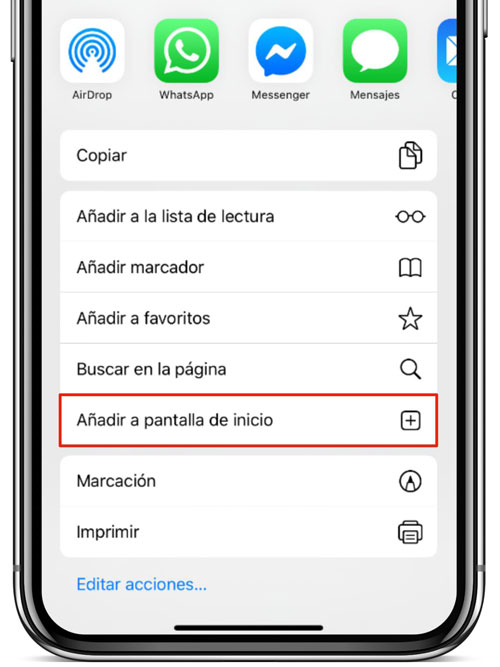
You only need to follow these simple steps to create a shortcut to the Sparrou website on your iPhone or iPad, allowing you to access it whenever you want as if it were another app on your device:
- Open the Safari app and go to the Sparrou website (or click here), as you would normally do.
- Once on the Sparrou website, tap on the Share button > Add to Home Screen.
- A screen will open where you can customize the name of the shortcut.
- Tap on add and that's it! Now, along with your other applications, you'll have the Sparrou app to learn about the natural world while playing!